One-click citation generator.
A free Chrome extension that puts a ready-to-paste reference on PubMed and Google Scholar pages. Click it, and it’s on your clipboard.
Try the card
How it works
Step 1
Add it to Chrome
Install it from the Chrome Web Store. There is no account to make and nothing to configure.
Step 2
Open a paper
On a PubMed article, a citation card slides in at the right edge of the page. On Google Scholar, open a result’s Cite dialog and the card picks up its Vancouver entry. Click anywhere on the card to copy the citation.
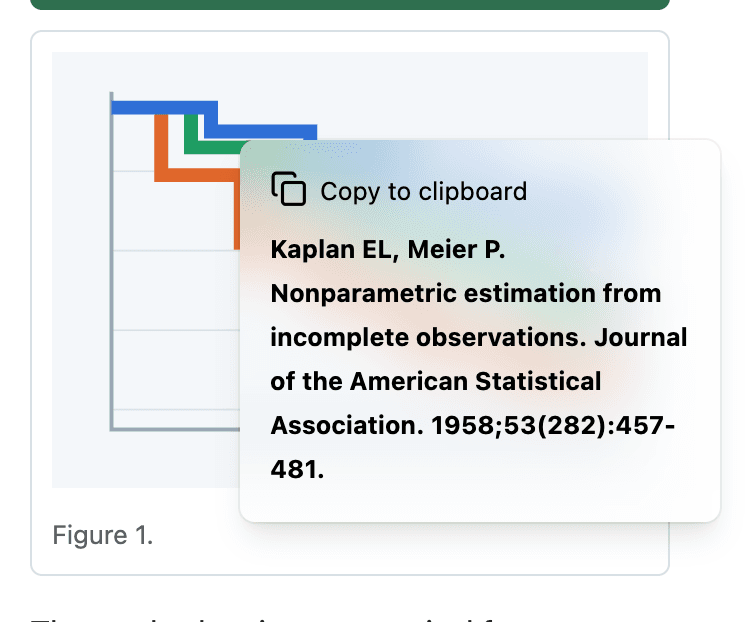
The card on an article page, captured from the extension. Step 3
Keep a list
Every citation you copy is kept in the toolbar popup, along with anything you look up there by DOI, ISBN, or title. When the paper is written, copy the list numbered or export it in one go.
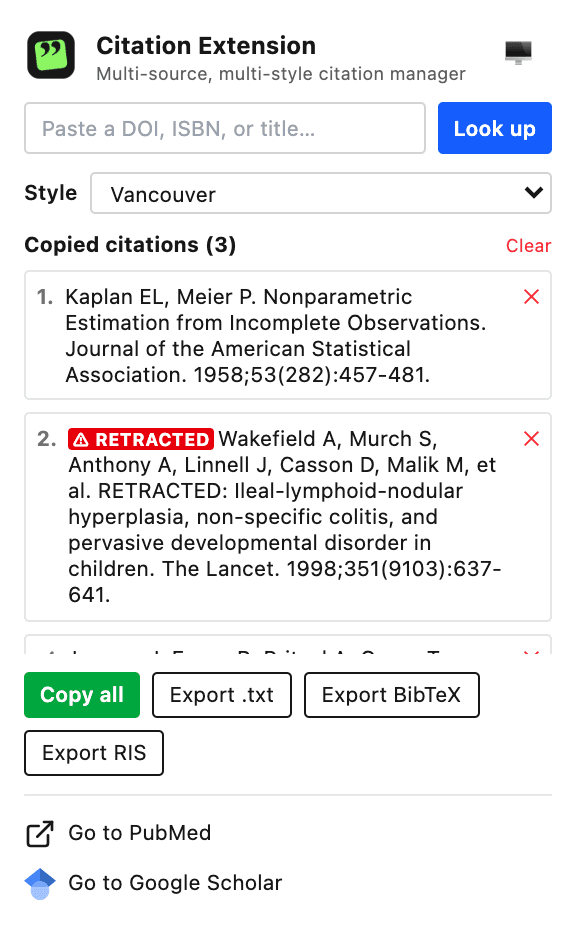
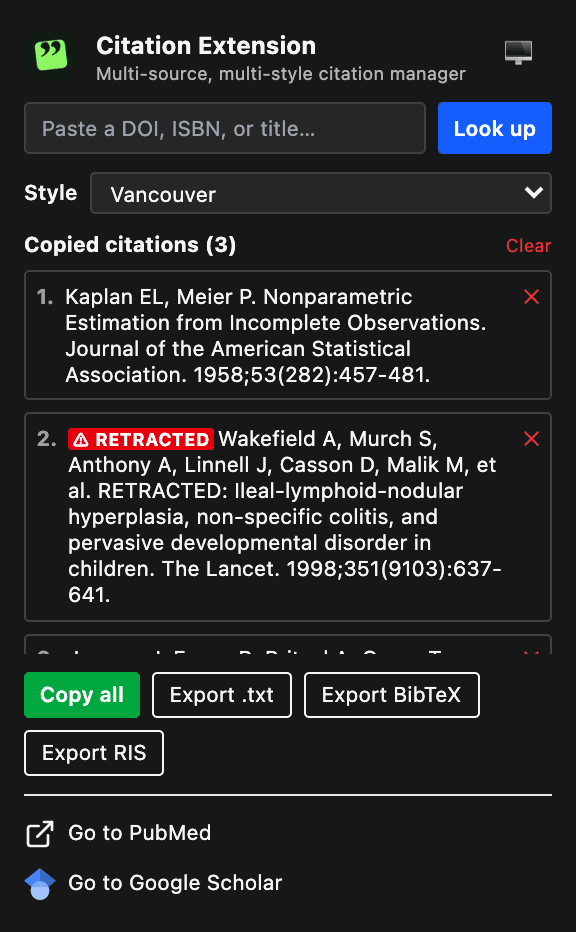
The toolbar popup after three DOI lookups.
The details
- Three citation styles
- Vancouver, AMA 11th, and APA 7th. Pick one in the popup and every card and your list follow it.
- Lookup by DOI, ISBN, or title
- Paste an identifier into the popup. DOIs and titles resolve through Crossref, ISBNs through Open Library.
- Export for reference managers
- Copy the whole list, numbered, or download it as plain text, BibTeX, or RIS for EndNote, Zotero, or Mendeley.
- Retraction warnings
- When Crossref marks an article as retracted, the card and your list say so before it reaches a bibliography.
- Google Scholar in any language
- The card finds the Vancouver entry in Scholar’s Cite dialog whether Scholar is set to English, Korean, Japanese, or another language.
- Light or dark
- The popup follows your system’s light or dark setting, or stays on the one you pick.
Your citations stay in your browser.
Citation Extension has no servers and no accounts. Saved citations live in Chrome’s local storage on your computer. When you look something up, or the card checks for a retraction, your browser asks Crossref or Open Library directly and sends only that DOI, ISBN, or title.
Read the privacy policyQuestions
Is it free?
Yes. There is no paid version and nothing to sign up for. Install it and it works.
Which sites does the card appear on?
PubMed article pages, and the Cite dialog on Google Scholar in any country: scholar.google.com, scholar.google.co.kr, scholar.google.co.jp, and every other Google country site, whatever language Scholar is set to.
I installed it, but no card appears.
On PubMed, the card shows on an article’s own page, not on search results. On Google Scholar, it shows once you open a result’s Cite dialog. Tabs that were already open need a reload after you install.
Can I switch styles later?
Yes. Citations in your list from PubMed and from lookups re-render in whichever style you pick. Google Scholar entries keep the Vancouver text that Scholar itself provides.
Does it work with Zotero, EndNote, or Mendeley?
Export your list from the popup as RIS or BibTeX, then import the file into your reference manager.